Salesforce Configuration vs Customization: What's Right for You?

Introduction

Salesforce powers over 150,000 businesses worldwide, but buying a licence is just the beginning. The real question is how you tailor it to fit your workflows—and the wrong choice here can mean months of wasted effort or a CRM your team refuses to use.

Whether you configure or customise Salesforce affects your implementation cost, time to go live, ongoing maintenance burden, and how well the platform actually serves your team.

That last point has real consequences: 51% of Salesforce customers would switch vendors if given the opportunity, citing poor usability and complex integrations—two problems that often trace back to a mismatched implementation approach.

This guide breaks down what each approach involves, what it costs, which one fits your situation, and when a hybrid of both is the smarter path.

TL;DR

  • Configuration relies on no-code tools (Flows, page layouts, permission sets); customization requires code — Apex, Visualforce, or LWC — written by developers
  • Configuration is faster, cheaper, and lower risk; customization unlocks capabilities the platform doesn't offer out of the box
  • Start with configuration when native features cover 90%+ of your needs — only bring in code when critical workflows still fall short
  • Over-customization creates technical debt—11% of teams see bugs more often than not in their releases due to deployment complexity
  • For most businesses, the answer is hybrid: configure first, customize only where necessary

Salesforce Configuration vs Customization: Quick Comparison

DimensionConfigurationCustomization
Implementation MethodNo-code/low-code via Setup UICode-based (Apex, Visualforce, LWC)
Who Performs ItSalesforce AdministratorSalesforce Platform Developer
Typical Cost₹8,00,000 – ₹20,00,000₹60,00,000 – ₹4,00,00,000+
Time to Deploy4-8 weeks6-18 months
Flexibility/ScopeLimited to native platform featuresExtends platform beyond native limits
Maintenance RiskLower; upgrade-safe and release-compatibleHigher; needs regression testing after each Salesforce release

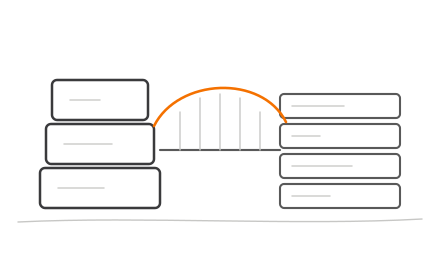
Salesforce configuration versus customization six-dimension side-by-side comparison infographic

Keep in mind: Customization always includes configuration. You configure the org first, then layer custom code on top.

What is Salesforce Configuration?

Configuration is the process of adjusting Salesforce's behaviour using built-in, point-and-click tools within the Setup menu—without writing a single line of code. A Salesforce Administrator typically handles this, not a developer.

Key Native Configuration Tools

  • Page layouts and record types — Control which fields appear on a record and offer different processes to different teams
  • User roles, profiles, and permission sets — Define who can see, edit, or delete specific objects and fields
  • Validation rules — Prevent users from saving invalid data (for example, requiring a phone number before converting a lead)
  • Reports and dashboards — Visualise real-time data and track KPIs without external BI tools
  • Email templates — Automate outbound communication with merge fields and dynamic content
  • Security settings — Control record access with sharing rules and field-level encryption

Automation Without Code: Salesforce Flow

Salesforce officially ended support for Workflow Rules and Process Builder on 31 December 2025, making Flow the mandatory automation tool going forward.

Flow handles multi-step automations like:

  • Lead assignment based on territory or product line
  • Sending alerts to managers when opportunities exceed a threshold
  • Updating related records across objects (e.g., syncing account data to all child contacts)

Operational Impact

  • Deploys in days to weeks, not months — no developer needed
  • Ongoing changes stay in-house, reducing cost and turnaround time
  • Survives Salesforce's three annual releases without breaking
  • Admins can adjust settings as business needs evolve

Use Cases of Salesforce Configuration

Configuration works best for:

  • Startups and SMEs setting up Salesforce for the first time
  • Teams with limited technical resources who need to move fast
  • Businesses whose processes closely match standard Salesforce objects (Leads, Contacts, Opportunities, Cases)

Real-World Scenarios

Custom opportunity pipeline with approval gates: A B2B sales team needs stage-specific approvals at "Proposal Sent" and "Contract Negotiation." Record types, validation rules, and Flow handle this end-to-end — no code required.

Department-based onboarding task assignment: An HR team needs onboarding tasks auto-assigned by department when a new employee record is created. A Record-Triggered Flow creates and routes those tasks instantly.

Multi-step loan approval routing: A lending company needs applications routed to underwriters, managers, and compliance officers based on loan amount and risk tier. Flow combined with approval processes covers the full workflow out of the box.

What is Salesforce Customization?

What is Salesforce Customisation?

Customisation refers to code-level modifications that go beyond what native tools offer. This involves writing Apex classes and triggers, building Lightning Web Components (LWC), designing Visualforce pages, or creating custom REST API integrations. A Salesforce Platform Developer is required.

Three Major Areas of Customisation

1. Custom UI

  • Redesigning record pages with Lightning Web Components
  • Building branded customer portals using Experience Cloud
  • Creating custom dashboards that native reporting can't support

2. Custom Functionality

  • Apex triggers to enforce complex business logic (e.g., preventing duplicate records across multiple criteria)
  • Batch processing for large data volumes (e.g., nightly data synchronisation across 100,000+ records)
  • Queueable jobs for asynchronous, multi-step workflows

3. Custom Integrations

  • Building middleware connectors to ERP systems (SAP, Oracle)
  • Connecting accounting platforms or proprietary tools that lack AppExchange connectors
  • Creating REST APIs for real-time data exchange with external systems

Together, these three areas let businesses build capabilities Salesforce was never designed to provide natively — from multi-step approval workflows tied to external systems to automated bulk data operations running against hundreds of thousands of records overnight.

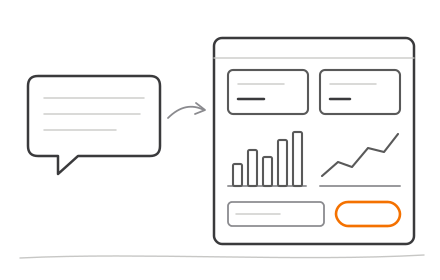
Three areas of Salesforce customization custom UI functionality and integrations breakdown

Trade-Offs

Customisation increases long-term technical debt, requiring ongoing developer maintenance and careful management across Salesforce's three annual release updates. 51% of Salesforce customers cite complex integrations as a primary dissatisfaction driver, and 94% of Salesforce architects report that custom work remains largely manual and error-prone.

Use Cases of Salesforce Customization

Customisation is genuinely needed by:

  • Enterprises with industry-specific processes (investment management firms tracking complex deal structures, private lenders managing multi-party loan workflows)
  • Businesses integrating Salesforce with legacy or proprietary systems that lack native connectors
  • Organisations needing custom reporting that native dashboards can't produce

These aren't edge cases — they reflect the kinds of complex, high-stakes environments where point-and-click configuration simply runs out of road.

Real-World Scenarios

Tiered Approval Logic for an Investment Firm

An investment firm needed deal tracking with approval logic that varied by deal size, investor type, and regulatory requirements. Apex triggers enforced multi-step validation at each stage, while LWC components surfaced deal pipelines in a custom UI that standard dashboards couldn't replicate.

Branded Borrower Portal for a Fintech Company

A fintech company built a custom LWC portal for borrowers to upload documents, track application status, and message loan officers. The portal was fully branded and connected to the company's proprietary underwriting system via REST API — keeping the experience seamless from both sides.

Real-Time ERP Sync Across a Multi-Entity Enterprise

A multi-entity enterprise integrated Salesforce with a custom ERP via REST API, synchronising customer data, order history, and inventory levels in real time across three regional offices.

Configuration vs Customization: Which Is Right for You?

The "Coverage Threshold" Test

  • 90%+ coverage: Configuration alone is likely sufficient
  • 80–90% coverage: Targeted customization can close the gap
  • Below 80% coverage: Heavy customization (or a custom build) may be more cost-effective overall

Situational Recommendations

Choose configuration if:

  • You are new to Salesforce
  • You have limited budget or technical staff
  • You want faster time to value
  • Your core processes align with standard Salesforce objects

Choose customization if:

  • Your workflows require logic beyond what Flow or validation rules can handle
  • You need bespoke UI/UX for end users
  • Critical third-party systems lack native connectors

The Hybrid Approach: Where Most Projects Land

Most mid-market and enterprise implementations start with deep configuration and add targeted customization only where configuration falls short. This approach:

  • Controls cost
  • Reduces technical debt
  • Keeps the org maintainable

Getting this balance right from the start is where partner expertise pays off. An experienced Salesforce development partner can map each requirement to the right approach before development begins, preventing costly rework down the line. Codiot's Salesforce development services help startups, SMEs, and enterprises determine whether a requirement should be configured, customized, or resolved through an AppExchange solution—so teams move faster without accumulating technical debt.

Risks to Avoid and Best Practices

The Danger of Over-Customization

Salesforce enforces strict platform limits: an org cannot have more than 3,000 custom objects or 900 custom fields per object, regardless of edition. Beyond these hard limits, over-customization:

  • Increases maintenance costs
  • Slows down org performance
  • Reduces adoption (users struggle with overly complex interfaces)
  • Creates upgrade complexity with each Salesforce release

These aren't edge cases. CRM failure rates hover around 47-70%, with much of that failure tied to over-engineering. When organizations customize heavily without governance, they end up spending 10-20% of their new-product budget fixing legacy technical debt instead of building new value.

Actionable Best Practices

  • Always configure first before writing code — exhaust native options before opening a code editor
  • Test everything in a sandbox before deploying to production, without exception
  • Document every customization with clear naming conventions and descriptions
  • Use native audit tools like Salesforce Org Check (Optimizer was sunsetted in Spring '25) to track technical debt over time
  • Test commits before deployment — teams who do this consistently lowered their change failure rate from 24% to 18%

Five Salesforce implementation best practices checklist from configuration to deployment governance

When to Bring in Outside Help

If your internal team lacks Salesforce Admin or Developer certifications — or you're unsure whether a customization project is scoped correctly — bringing in a partner early is cheaper than fixing problems after go-live. A qualified Salesforce development partner can:

  • Run an org audit using tools like Salesforce Health Check to surface hidden technical debt
  • Map your business requirements to the right implementation approach (configuration vs. code)
  • Identify dependency risks before deployment, not after
  • Help your team establish governance practices that hold up across future releases

Conclusion

There is no universal winner between configuration and customisation. The right choice depends on how far your processes diverge from Salesforce's native capabilities, the resources you have available, and your tolerance for long-term maintenance. In practice, most organisations use both — the question is where to draw the line.

Starting with configuration establishes a stable, maintainable foundation. Customisation should be a deliberate investment, not a default. If your team is unsure where that boundary sits, a Salesforce development partner can map your requirements to the right approach and prevent costly mistakes.

Frequently Asked Questions

What is Salesforce configuration?

Salesforce configuration is the process of adjusting the platform's settings, layouts, workflows, and permissions using built-in point-and-click tools in the Setup menu—no coding required. It is typically managed by a Salesforce Administrator and includes page layouts, Flows, reports, and user permission sets.

What are the 5 types of flow in Salesforce?

Salesforce offers five Flow types:Salesforce offers five Flow types:

  • Screen Flow — user-guided, interactive forms
  • Record-Triggered Flow — fires automatically on record changes
  • Schedule-Triggered Flow — runs at set time intervals
  • Platform Event-Triggered Flow — responds to platform events
  • Autolaunched Flow — triggered by code or another process

Flows are the primary configuration automation tool in Salesforce today.

Does Salesforce have a CMDB?

Salesforce does not have a native CMDB (Configuration Management Database) in the traditional ITSM sense, but it does offer a native CMDB for IT assets via Agentforce IT Service. For metadata and change tracking, organizations use DevOps Center or third-party tools like Copado and Gearset.

Can you use both configuration and customization in the same Salesforce org?

Yes, the hybrid approach is the most common in practice. Most implementations configure the org first using native tools, then apply targeted code-based customizations only where native capabilities fall short.

How much does Salesforce customization cost?

Costs vary widely based on project scope, the Salesforce edition, number of users, and whether you engage an external development partner. Small configuration-only projects typically cost ₹8,00,000 – ₹20,00,000, while enterprise-grade, integration-heavy customizations easily exceed ₹1,20,00,000 to ₹4,00,00,000+.

Do I need a Salesforce developer for customization?

Yes, code-based customization requires a Salesforce Certified Platform Developer or App Builder — it involves writing Apex, building Lightning Web Components, or creating custom integrations. Configuration can be handled by a Salesforce Administrator without any programming knowledge.