Data Warehouse Systems: Design & Implementation

Introduction

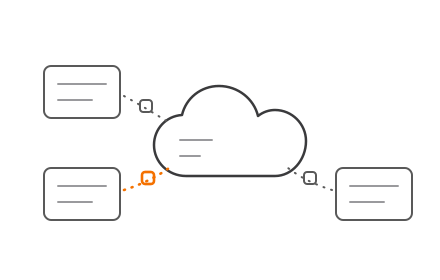
When customer data lives in your CRM, financial records sit in your ERP, and operational metrics scatter across departmental spreadsheets, decision-making grinds to a halt. Poor data quality costs organizations an average of $12.9 million annually, according to Gartner, with over 25% of enterprises reporting losses exceeding $5 million per year. This fragmentation doesn't just waste money—it creates blind spots that prevent executives from seeing the full picture when they need it most.

A data warehouse system solves this by consolidating data from across your systems into a single, analysis-ready repository. Success depends on both thoughtful design and disciplined implementation. Get the architecture wrong, and you'll spend years in costly rework. Rush the build, and you'll end up with a technically sound warehouse that nobody trusts or uses.

What follows covers the design approaches that shape your architecture, the schema types that determine query performance, a step-by-step implementation process, and modern considerations like cloud platforms and AI integration.

TLDR:

  • Data warehouses centralize fragmented data into a single source of truth for analytics
  • Inmon's top-down approach prioritizes consistency; Kimball's bottom-up method delivers faster departmental wins
  • Star schemas deliver faster queries; snowflake schemas handle complex hierarchies with less storage overhead
  • ELT has replaced ETL as the preferred cloud-native pipeline pattern
  • Real-time ingestion and in-warehouse AI are now standard in modern implementations

What Is a Data Warehouse System?

A data warehouse is a centralized repository optimized for querying and analytical reporting—not day-to-day transaction processing. Unlike operational databases that handle fast reads and writes on current data, data warehouses store large volumes of historical data from multiple sources, structured specifically for fast, complex queries that answer strategic questions.

Core Components That Make It Work

A data warehouse functions as an integrated system with five key components:

  • Data sources - CRM systems, ERP platforms, marketing tools, and operational databases that generate business data
  • Staging/ETL layer - Pipelines that extract, transform, and load data from sources into the warehouse
  • Central warehouse store - The repository where integrated, cleaned, and structured data lives
  • Data marts - Department-specific subsets (e.g., sales analytics, finance reporting) that provide focused views
  • BI/reporting front end - Tools like Power BI, Tableau, or Looker that connect to the warehouse for visualization and analysis

These components work together as a pipeline: raw data flows from sources through transformation layers into the central store, where it's organized for consumption by data marts and BI tools.

Why Organizations Invest in Data Warehouses

Organizations with mature data strategies consistently outperform peers. A 2023 Harvard Business Review survey found that data-driven companies lead on every major business metric:

  • 77% revenue growth vs. 61% for peers
  • 81% operational efficiency vs. 58%
  • 77% customer retention vs. just 45%

A data warehouse drives those results by:

  • Running queries in seconds that took hours on operational systems
  • Giving every department a single, consistent source of truth
  • Breaking down silos between CRM, finance, and operations data
  • Supporting long-range planning with historical trends and predictive analytics

Data warehouse business benefits infographic showing revenue efficiency and retention metrics

Two Approaches to Data Warehouse Design

The first architectural decision shapes everything that follows: choosing between Inmon (top-down) and Kimball (bottom-up) design philosophies. Selecting the wrong approach for your organization's scale, team size, or timeline creates expensive rework that can derail projects for years.

Inmon (Top-Down) Approach

The Inmon model builds the enterprise-wide data warehouse first, storing all data in a highly normalized (Third Normal Form) structure. Department-specific data marts are derived from this authoritative source afterward. This approach prioritizes strong data consistency and a single version of the truth across the entire organization.

Large enterprises — banks, insurers, regulated industries — benefit most from this model when governance and consistency outweigh speed.

The trade-offs are real, though:

  • Longer build time before any business user sees a report
  • Higher upfront cost and a larger team of data specialists required
  • Slower time-to-value, since the full enterprise data model must be designed first

Kimball (Bottom-Up) Approach

The Kimball model takes the opposite path: build department-specific data marts first using denormalized star schemas, then integrate them into a broader warehouse through "conformed dimensions" (standardized attributes like Customer or Product used across all facts). This delivers faster time-to-value and easier adoption by business teams who see results in weeks rather than months.

The trade-offs worth watching:

  • Data marts without strict governance can drift — different departments may define "customer" or "revenue" differently
  • That inconsistency recreates the same silos the warehouse was meant to eliminate

Best suited for SMEs or organizations that need measurable results faster by department — for example, building sales analytics first, then adding finance later.

The Three-Tier Architecture

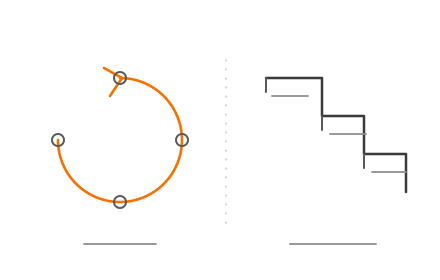
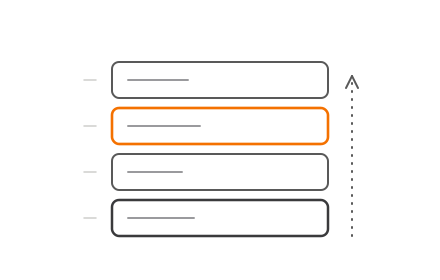
Whichever philosophy you choose, most modern data warehouses share a common structural blueprint: a three-tier architecture that separates data ingestion, analytical processing, and business consumption.

TierLayerRole
BottomData Sources & StagingExtracts raw data from operational systems, transactional databases, and flat files; acts as the entry point for all enterprise data
MiddleOLAP ServerProcesses queries, performs complex computations, and organizes data into multidimensional cubes optimized for analytical workloads
TopPresentation LayerDelivers data to business users via BI tools, dashboards, and reporting apps — no SQL required

Three-tier data warehouse architecture diagram from data sources to presentation layer

Weaknesses at any tier ripple upward — poor data quality at the bottom corrupts all downstream analytics, slow OLAP processing delays every query, and a poorly designed presentation layer makes even perfect data unusable.

Choosing the Right Schema for Your Data Model

The schema defines how data is organized inside the warehouse—specifically how fact tables (storing measurable business events like sales transactions) relate to dimension tables (storing descriptive attributes like time, product, or customer). Schema choice directly affects query speed, maintenance complexity, and analytical flexibility.

Here's how the three main schema types compare before diving into each:

SchemaQuery SpeedStorage EfficiencyComplexityBest For
StarFastModerateLowMost BI workloads
SnowflakeSlowerHighMediumStrict normalization needs
GalaxyVariesHighHighMulti-domain analytics

Star Schema

The star schema features a central fact table surrounded by denormalized dimension tables. It prioritizes query simplicity and speed, making it the most common choice for business intelligence workloads.

Example structure:

  • Fact table: Sales (transaction_id, date_key, product_key, customer_key, region_key, revenue, quantity)
  • Dimension tables: Date, Product, Customer, Region (each fully denormalized with all attributes)

Queries require only a single join from the fact table to each dimension, making them fast and easy for BI tools to optimize. Star schemas are the standard in most production environments because they perform best for typical analytical queries.

Snowflake Schema

The snowflake schema normalizes dimension tables into sub-tables to eliminate redundancy. For example, a Date dimension might split into Day, Month, Quarter, and Year tables with hierarchical relationships.

Trade-offs to consider:

  • Reduces storage by eliminating duplicate data across dimension attributes
  • Slows queries down through complex multi-hop joins
  • Creates structures that business users often struggle to interpret directly

Use snowflake schemas when you have highly complex hierarchical data or strict normalization requirements—in organizations with limited storage or data governance mandates that prohibit redundancy.

Galaxy (Fact Constellation) Schema

When a single fact table isn't enough, the galaxy schema connects multiple fact tables to shared dimension tables. Sales and Inventory fact tables, for example, might both reference shared Product, Date, and Region dimensions.

When to use it:

  • Organizations with complex, multi-domain data structures
  • Cross-functional analytics that span multiple business processes
  • Situations where low redundancy and high analytical power justify increased design complexity

Data Warehouse Implementation: Step-by-Step

Data warehouse implementation follows a structured project lifecycle. Skipping or rushing early steps—especially requirements gathering—is the most common cause of costly redesigns that extend timelines by months or years.

Step 1: Requirements Gathering and Stakeholder Alignment

Start by identifying:

  • Business goals the warehouse must support
  • Data sources to integrate
  • Data volume and velocity
  • Questions stakeholders need answered

This is not a technical step—it requires active participation from business users, not just engineers. Failure to align here results in a technically sound warehouse that sits unused because it doesn't answer the questions people actually ask.

Step 2: Architecture and Data Modeling Decisions

Make core design decisions in this phase:

  • Select Inmon or Kimball approach based on organisational needs
  • Choose schema type (star, snowflake, or galaxy)
  • Define ETL/ELT pipeline strategy
  • Plan data storage (cloud vs. on-premise)
  • Define fact and dimension tables, granularity levels, and key metrics

Data modeling at this stage determines whether your warehouse scales gracefully or requires a complete rebuild when data volume doubles.

Step 3: ETL/ELT Pipeline Development

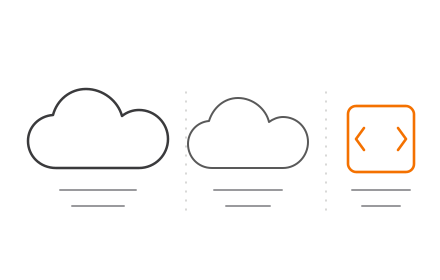
ETL (Extract, Transform, Load): Data is extracted from sources, transformed (cleaned, standardised, deduplicated, validated) on a separate processing server, then loaded into the warehouse.

ELT (Extract, Load, Transform): Raw data is loaded directly into the warehouse first, then transformed inside using the warehouse's compute power. ELT is increasingly common with cloud platforms that offer massive parallel processing.

ETL versus ELT pipeline comparison infographic showing data flow process differences

Pipeline reliability and data quality checks here determine the trustworthiness of all downstream analytics. If garbage enters the pipeline, garbage flows into every report and dashboard.

Step 4: Data Quality, Security, and Compliance

That pipeline integrity makes Step 4 non-negotiable: implement these safeguards before data reaches business users.

Data Quality:

  • Cleansing (removing errors, duplicates, inconsistencies)
  • Validation (enforcing business rules)
  • Automated quality monitoring

Security:

  • Encryption at rest and in transit
  • Role-based access controls
  • Audit logging

Compliance:Build GDPR, HIPAA, or industry-specific regulations into the architecture from the start—not as an afterthought. GDPR Article 5 requires data minimisation and storage limitation, while HIPAA 45 CFR §164.312 mandates access controls and audit mechanisms.

Step 5: Testing, Deployment, and Ongoing Maintenance

Testing phases include:

  • Unit testing - Individual ETL pipelines
  • Integration testing - End-to-end data flows
  • Performance testing - Query speed under load
  • User Acceptance Testing (UAT) - Business stakeholder validation

After deployment, monitor for data drift, query degradation, and pipeline failures. This is an ongoing responsibility, not a one-time task. Teams that need to compress this timeline often work with a specialised data engineering partner—someone who has already navigated these decisions across multiple warehouse deployments and can shortcut the trial-and-error phase.

Modern Data Warehousing: Cloud, Real-Time, and AI Integration

The shift from on-premise to cloud-based data warehouses (Snowflake, BigQuery, Redshift) has transformed implementation timelines and costs. According to Forrester, 62% of enterprise data now resides in the cloud, with Gartner forecasting worldwide public cloud spending to reach $723.4 billion in 2025. Cloud platforms eliminate hardware costs, offer elastic scalability, and reduce time-to-deploy from months to weeks.

Real-Time Ingestion Replaces Batch Loading

That scalability directly enables a shift in how data arrives. Organizations are moving from batch data loading (hourly/daily) to real-time or near-real-time ingestion, enabling decisions on current data rather than yesterday's snapshot.

Real-world example: EchoStar ingests 10TB of data daily across 150+ streams into Amazon Redshift with an average latency of just 37 seconds, replacing a legacy system that had 2-3 day delays. Use cases include real-time inventory management, fraud detection, and customer behavior tracking.

AI and Automation Integration

Modern data warehouses embed AI capabilities directly:

  • Automated data quality monitoring - AI detects anomalies and data drift without manual rules
  • AI-driven query optimization - Platforms automatically tune query performance
  • ML pipelines on warehouse data - BigQuery ML and Redshift ML let teams train models directly on warehouse-resident data using SQL, with no data egress costs

Modern cloud data warehouse platform interface showing AI query optimization and analytics dashboard

These AI layers reduce the gap between data collection and business action — making the warehouse a decision engine, not just a storage system.

Best Practices for a Successful Data Warehouse Implementation

Getting the architecture right matters less than getting the habits right. These three practices separate warehouses that scale gracefully from ones that become liabilities.

  • Design for scalability from day one. Use modular architecture, avoid hardcoding business logic into pipelines, and plan for volume growth. A warehouse that needs a complete rebuild at 2x data is a design failure, not a scaling challenge.
  • Treat data quality as an ongoing discipline. Implement automated validation rules, data lineage tracking, and quality dashboards so problems surface at ingestion — not in a board report.
  • Govern access and documentation without shortcuts. Maintain a data catalog, enforce role-based access, and log schema changes alongside the business rule decisions behind them. Teams grow and change; the warehouse should remain understandable regardless.

Frequently Asked Questions

What is the difference between a data warehouse and a database?

Operational databases handle day-to-day transactions with fast reads and writes on current data. Data warehouses are optimized for analytical queries on large volumes of historical, integrated data from multiple sources.

What is the difference between the Inmon and Kimball approaches?

Inmon builds the enterprise warehouse first and then derives data marts (top-down, slower but more consistent). Kimball builds data marts first and integrates them (bottom-up, faster to deploy but requires careful governance).

What is ETL and why is it critical in data warehouse implementation?

ETL (Extract, Transform, Load) is the pipeline that pulls data from source systems, cleans and restructures it, and loads it into the warehouse. Its quality directly determines the reliability of all analytics derived from it.

Should I choose a cloud or on-premise data warehouse?

Cloud is better for most modern organizations due to lower upfront cost, elastic scalability, and faster deployment. On-premise may suit organizations with strict data sovereignty requirements or already-invested infrastructure.

What are the most common data warehouse schema types?

Star schema (simple, fast queries), snowflake schema (normalized, handles complex hierarchies), and galaxy schema (multiple fact tables for complex domains). Most BI teams default to star schema for its query speed and simplicity.

How long does it typically take to implement a data warehouse?

A basic cloud warehouse with a single data mart typically takes 2–3 months; enterprise-wide implementations can span 9–18+ months. The variables are data complexity, team size, and methodology. Rushing the requirements and design phases almost always extends the total timeline.