Salesforce Custom Development: Complete Guide

Introduction

Many businesses invest in Salesforce expecting it to streamline operations, only to discover that out-of-the-box features don't map to their specific workflows. Standard objects like Accounts and Contacts can't capture industry-specific data structures. Native automation tools hit limits when processes involve multi-system dependencies. Generic dashboards frustrate users who need role-specific views.

This operational friction leads to missed automation opportunities, manual workarounds, and CRM underutilization—a costly problem when 51% of Salesforce customers report they would switch vendors if given the opportunity, citing poor usability and complex integrations.

Salesforce custom development solves this by letting businesses reshape the platform to match their processes. Using code, declarative tools, or both, organizations can build custom objects, automate complex workflows, integrate third-party systems, and create tailored interfaces that drive adoption. This guide breaks down what custom Salesforce development involves, when to use it, and how to approach it without overbuilding.

TLDR

  • Custom Salesforce development extends the platform beyond native features using Apex, Lightning Web Components, and APIs
  • It differs from configuration: configuration uses point-and-click tools, development uses code for complex scenarios
  • Core benefits include tailored workflows, higher CRM adoption, seamless integrations, and long-term cost efficiency
  • Key components include Apex, Lightning Web Components, Flows, and custom objects
  • Follow a configuration-first approach—exhaust declarative tools before writing custom code

What Is Salesforce Custom Development?

Salesforce custom development is the process of extending and tailoring the platform beyond its native, out-of-the-box features to match a business's unique workflows, data structures, and customer interactions. While Salesforce provides powerful standard functionality, custom development uses code, declarative tools, or both to address requirements that native features cannot handle.

Configuration vs. Custom Development

Understanding the distinction between customization and custom development is critical:

Configuration (Declarative Development):

  • Point-and-click, no-code changes using built-in tools
  • Creating custom fields, page layouts, validation rules, and formula fields
  • Building automations with Flow Builder
  • Requires no programming knowledge

Custom Development (Programmatic Development):

  • Pro-code solutions using Apex (Salesforce's programming language)
  • Building Lightning Web Components for tailored user interfaces
  • Writing complex business logic, triggers, and batch jobs
  • Requires developer expertise

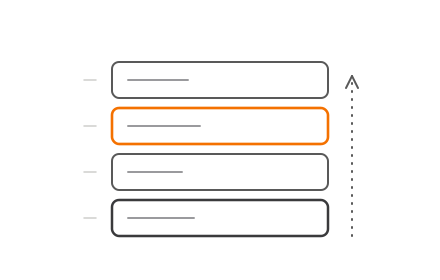
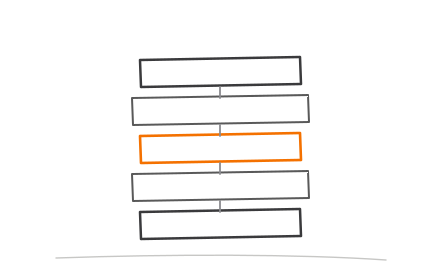
These approaches are complementary, not competing. Salesforce's official guidance recommends a strict hierarchy: use built-in platform services first, consider AppExchange apps second, and resort to custom code only when declarative options have clear limitations.

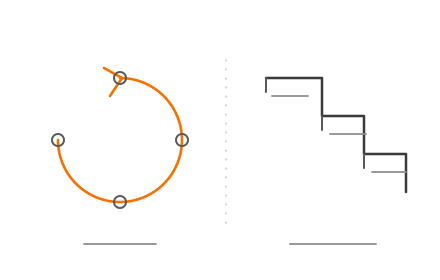
Salesforce development approach hierarchy three-tier decision priority framework

Who Needs Custom Development?

Businesses typically require custom development when they have:

  • Industry-specific processes: Finance, healthcare, and private lending organizations often need specialized data models and compliance workflows that standard Salesforce objects cannot accommodate
  • Complex integrations: Connecting Salesforce to ERPs, payment gateways, legacy systems, or proprietary databases
  • High-volume automation: Processing thousands of records with complex business rules that exceed declarative tool capabilities
  • Unique data structures: Tracking proprietary entities that don't fit standard objects like Accounts or Opportunities

What Custom Development Enables

Custom development unlocks capabilities that transform Salesforce from a general CRM into a purpose-built business platform:

  • Custom objects and fields that model your exact data requirements
  • Tailored user interfaces optimized for specific roles and workflows
  • Automated processes that mirror complex, multi-step business logic
  • Third-party integrations creating a unified data ecosystem
  • Purpose-built applications running within Salesforce's reliable cloud infrastructure

The right development approach depends on the complexity of your requirements — and knowing when to go custom versus staying declarative is often the most important decision in a Salesforce project.

Key Components of Salesforce Custom Development

Apex: Server-Side Business Logic

Apex is Salesforce's proprietary, strongly typed, object-oriented programming language that runs natively on Salesforce servers. It handles server-side logic that goes beyond what declarative tools can accomplish.

Primary use cases:

  • Triggers: Execute custom logic before or after database events (insert, update, delete)
  • Batch jobs: Process large data volumes efficiently without hitting system limits
  • Scheduled jobs: Automate recurring tasks like nightly data cleanups or report generation
  • Complex business rules: Implement multi-step calculations, validations, and data transformations

Because Apex operates in a multitenant environment, Salesforce enforces strict governor limits to prevent runaway code from consuming excessive resources. Developers must design code to handle bulk operations efficiently—placing queries inside loops or exceeding CPU time limits will cause transaction failures in production.

Lightning Web Components (LWC): Custom User Interfaces

Once your server-side logic is in place, the next layer is what users actually see. Lightning Web Components (LWC) is Salesforce's modern framework for building custom, reusable UI components using standard HTML and JavaScript. Unlike the older Aura framework, LWC builds on native web standards, which translates to faster load times and simpler component architecture.

What LWC enables:

  • Tailored page layouts that simplify complex workflows
  • Dynamic forms that adapt based on user input or role
  • Role-specific dashboards displaying only relevant data
  • Custom navigation patterns that match how teams actually work

Custom UI directly impacts CRM adoption. When a system feels generic, users work around it rather than in it. Role-based interfaces that match how teams actually operate reduce training time, cut data entry errors, and increase the likelihood that records stay accurate and complete.

Salesforce Flows: Declarative Automation

Not every automation requires code. Salesforce Flow Builder is a point-and-click tool that bridges configuration and custom development. Administrators can build complex business processes visually without writing a single line of Apex.

Common Flow applications:

  • Multi-step approval processes
  • Automated data updates across multiple objects
  • Screen-based user interactions for data collection
  • Integration with Apex for compute-heavy operations

When to use Flow vs. Apex:

Salesforce's automation decision framework focuses on "automation density"—the cumulative weight of all business rules, data volumes, and dependencies firing on a single object.

  • Low density (< 15 automations): Use Flow for fast delivery and built-in platform safeguards
  • Medium density (15-30 automations): Hybrid approach—Flow orchestrates, Apex handles compute-heavy operations
  • High density (> 30 automations or large bulk API loads): Use Apex triggers for granular transactional control and performance

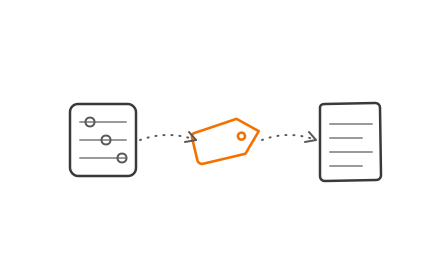
Salesforce automation density decision framework low medium high threshold guide

Custom Objects and Fields: Extending the Data Model

Salesforce provides standard objects—Accounts, Contacts, Leads, Opportunities—to handle common business scenarios. Custom objects let businesses model data that these predefined structures don't cover.

Standard objects vs. custom objects:

  • Standard objects: Predefined by Salesforce with established relationships and functionality
  • Custom objects: Created by your organization to reflect proprietary data entities unique to your business

Technically, Salesforce appends a __c suffix to all custom object and field API names. For example, a custom object labeled "Loan Application" in the UI has the API name Loan_Application__c. This naming convention helps developers distinguish custom elements from standard platform features.

APIs and Integrations: Connecting Your Ecosystem

Custom objects and flows handle internal data logic. APIs extend that logic outward, connecting Salesforce to the rest of your technology stack.

Core integration mechanisms:

REST API:

  • Lightweight, JSON-based interface for accessing and manipulating Salesforce data
  • Ideal for web and mobile applications
  • Supports standard CRUD operations (Create, Read, Update, Delete)

SOAP API:

  • Strongly typed, contract-first integration using WSDL
  • Preferred for enterprise server-side applications requiring strict data contracts
  • Supports complex queries and bulk operations

MuleSoft:For complex, multi-system architectures, MuleSoft acts as Salesforce's dedicated integration layer. It connects Salesforce to ERPs, payment gateways, marketing platforms, and e-commerce systems through managed APIs rather than fragile direct connections. MuleSoft's CloudHub hosts these integrations centrally, so teams modify one integration layer instead of patching a web of individual connectors when systems change.

Benefits of Custom Salesforce Development for Businesses

Tailored Fit for Unique Business Processes

Custom development eliminates the need to adapt workflows to fit software limitations. Instead, businesses can:

  • Automate processes exactly as they operate in practice
  • Build role-specific dashboards that surface only relevant information
  • Address industry-specific compliance needs (critical for finance, healthcare, and private lending)
  • Capture proprietary data that standard objects cannot accommodate

This precision reduces manual workarounds, eliminates data entry errors, and ensures the CRM supports—rather than constrains—how teams actually work.

Scalability Without Disruption

Well-architected custom Salesforce solutions scale alongside business growth. New modules, integrations, and features can be added incrementally without rebuilding the system.

This matters for:

  • Startups that need to move fast without technical debt
  • Growing mid-market companies expanding into new regions or product lines
  • Enterprises standardizing processes across divisions

The platform's cloud infrastructure handles scaling automatically—you don't manage servers or worry about capacity planning.

Higher CRM Adoption Through Better User Experience

CRM adoption often fails when systems feel generic or overly complex. Industry data shows CRM implementation failure rates between 47% and 50%, with poor usability cited as a primary cause.

Custom development addresses this by creating:

  • Simplified, role-based interfaces that reduce cognitive load
  • Reduced manual tasks through intelligent automation
  • Intuitive navigation that matches user mental models

The result: higher adoption rates, better data quality, and measurable ROI improvement. Nucleus Research confirms that adoption is the most significant determining factor in CRM success and ROI.

Seamless Integration Across Business Systems

Strong adoption depends on more than good UX—teams need to trust the data they see. Custom development connects Salesforce to your entire technology stack (ERP systems, e-commerce platforms, marketing automation tools, and proprietary databases), eliminating the data silos that undermine confidence in any CRM.

Benefits include:

  • Real-time data synchronization across systems
  • Automated workflows that span multiple platforms
  • Unified reporting and analytics
  • Reduced manual data entry and reconciliation

Long-Term Cost Efficiency

Custom development often appears expensive upfront, but the long-term economics tell a different story. Forrester's Total Economic Impact studies document substantial financial returns:

  • Manufacturing: 354% ROI, $226M Net Present Value, decommissioned up to 50% of legacy tech
  • Consumer goods: 205% ROI, $172M Net Present Value, avoided $35.8M in annual licensing costs
  • Cross-industry average: 25% IT cost savings

Salesforce custom development ROI statistics manufacturing consumer goods cross-industry comparison

By consolidating functionality onto Salesforce, businesses reduce:

  • Third-party tool licensing fees
  • Manual workarounds and inefficient processes
  • IT maintenance overhead for multiple systems
  • Integration complexity and technical debt

For startups, SMEs, and enterprises alike, the math favors consolidation — fewer systems to maintain, fewer handoff points to break, and a single platform that grows with the business.

Custom Development vs. Out-of-the-Box Configuration: When to Choose Which

When Configuration Is Sufficient

Out-of-the-box Salesforce with point-and-click configuration works well when you have:

  • Small teams with standard sales or service workflows
  • Limited integration requirements (few external systems)
  • Straightforward data models that fit standard objects
  • Short implementation timelines
  • Minimal regulatory compliance complexity

Configuration delivers value quickly and requires less specialized expertise to maintain.

When Custom Development Becomes Necessary

Custom development is the right choice when you encounter:

  • Complex business logic that exceeds declarative tool capabilities
  • Multi-system integrations requiring custom middleware or data transformations
  • Industry-specific workflows (finance, healthcare, private lending)
  • High-volume automation processing thousands of records
  • Regulatory compliance requiring audit trails or specialized security controls
  • Custom UI requirements for role-specific user experiences

Decision Framework

DimensionConfigurationCustom Development
Business Logic ComplexitySimple rules, basic validationsMulti-step calculations, complex dependencies
External Systems0-2 basic integrations3+ systems or complex data transformations
Data ModelFits standard objects with minor customizationRequires multiple custom objects with complex relationships
Team SizeSmall teams (< 50 users)Medium to large teams (50+ users)
Compliance RequirementsBasic security and permissionsIndustry-specific regulations, audit trails
User InterfaceStandard layouts acceptableRole-specific, highly customized experiences required

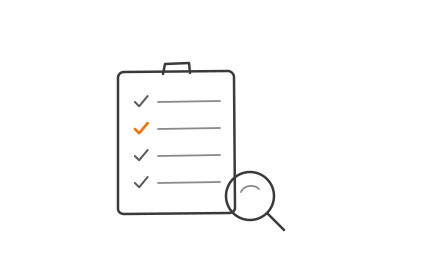
Configuration versus custom Salesforce development six-dimension decision comparison table

The Configuration-First Best Practice

Maximize native Salesforce tools before writing custom code. The configuration-first approach keeps your org lighter, easier to maintain, and upgrade-safe.

Custom development is most valuable when configuration has clear limitations — not as the default first approach. Always exhaust declarative options (Flows, validation rules, formula fields) before writing Apex.

How to Build Custom Salesforce Solutions: A Step-by-Step Overview

Step 1: Requirement Discovery

Define the business problem before touching the platform. This phase includes:

  • Mapping existing workflows and identifying pain points
  • Documenting gaps in native Salesforce functionality
  • Identifying integration needs with external systems
  • Gathering stakeholder input from all affected teams
  • Defining success metrics and ROI expectations

Skipping this step is where most custom builds go wrong — teams end up solving the wrong problem at full cost.

Step 2: Architecture and Design

Plan the technical approach before writing code:

Choose the right tools:

  • Apex for complex business logic and high-volume processing
  • Flow for declarative automation and user-driven processes
  • LWC for custom user interfaces and reusable components

Design the data model:

  • Create custom objects with appropriate relationships
  • Define custom fields, validation rules, and formula fields
  • Plan for data migration from legacy systems

Plan integration touchpoints:

  • Map API endpoints and authentication methods
  • Design error handling and retry logic
  • Document data transformation requirements

Decisions made here — especially around data model structure — are expensive to undo post-deployment, so invest the time upfront.

Step 3: Development, Testing, and Deployment

Build in a controlled environment with rigorous quality gates.

Development:

  • Build all code in a sandbox environment (never in production)
  • Follow coding best practices and governor limit awareness
  • Document code with clear comments and technical specifications

Run integration tests before UAT — catching external system failures early saves significant rework time.

Testing:

  • Conduct unit testing with Apex test classes (minimum 75% code coverage required, 90%+ recommended)
  • Perform integration testing to verify external system connections
  • Execute user acceptance testing (UAT) with actual end users

Deployment:

  • Deploy via change sets, Salesforce CLI, or DevOps Center
  • Use phased rollouts — rolling back a full deployment is far harder than releasing incrementally
  • Monitor system performance post-deployment

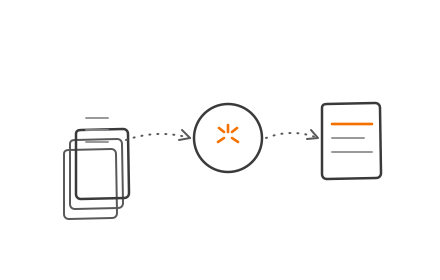
Salesforce custom development four-phase build process from discovery to optimization

Salesforce provides four sandbox types—Developer, Developer Pro, Partial Copy, and Full—each suited to different testing scenarios and refresh schedules.

Step 4: Training, Monitoring, and Ongoing Optimization

Deployment is not the endpoint—it's the beginning of value realization:

User training:

  • Conduct role-specific training sessions
  • Provide documentation and quick-reference guides
  • Establish a support channel for questions

Performance monitoring:

  • Track system performance and user adoption metrics
  • Monitor governor limit usage to prevent runtime failures
  • Gather user feedback for continuous improvement

Iterative optimization:

  • Refine workflows based on actual usage patterns
  • Add features incrementally as needs evolve
  • Maintain documentation as the system changes

Codiot provides post-deployment Salesforce support — from governor limit troubleshooting to iterative feature development — for teams that need a technical partner beyond the initial build.

Best Practices for Salesforce Custom Development

Getting Salesforce custom development right isn't just about writing good code — it's about knowing when not to write it, how to stay within platform boundaries, and leaving a system others can actually maintain.

Follow Configuration-Before-Code

Always exhaust declarative options before writing Apex. Use Flows, validation rules, and formula fields first — they keep your org lighter, easier to maintain, and upgrade-safe. Custom code should only handle scenarios where declarative tools have clear limitations.

Maintain Governor Limit Awareness

Salesforce enforces strict governor limits to protect the multitenant environment. Key limits include:

  • 100 SOQL queries per transaction (200 asynchronous)
  • 10,000 milliseconds CPU time (60,000 asynchronous)
  • 6 MB total heap size (12 MB asynchronous)

Design code with bulk processing in mind. Never place queries inside loops. Offload compute-heavy operations to asynchronous batch jobs. If code exceeds limits, the transaction fails with an unhandlable exception.

Prioritize Documentation and Testing Standards

Salesforce requires minimum 75% Apex code coverage for deployment, but best practice targets 90%+ with meaningful tests—not just coverage for its own sake.

Each project should include:

  • Clear code comments explaining business logic
  • Technical specifications for integrations
  • User guides for custom features
  • Architecture diagrams showing system relationships

Well-maintained documentation is what separates a handoff that takes a day from one that takes a month.

Frequently Asked Questions

What is Salesforce custom development?

Salesforce custom development is the process of extending the platform beyond its standard features using code (Apex, Lightning Web Components) and declarative tools to fit specific business workflows and data requirements. It enables organizations to automate complex processes, integrate external systems, and build tailored user interfaces that standard Salesforce functionality cannot provide.

Is Salesforce still in demand in 2026?

Yes. Salesforce holds a 20.7% CRM market share and reported approximately $37.9 billion in FY26 revenue, confirming its position as the leading CRM platform. While the Salesforce job market saw 8% year-over-year growth in 2025, employers increasingly seek multi-skilled professionals capable of navigating AI and complex architectures, reflecting the platform's expanding capabilities.

What is a Salesforce solution?

A Salesforce solution is a configured or custom-built application within the Salesforce ecosystem designed to solve a specific business problem. Solutions range from simple workflows created with declarative tools to fully packaged applications available on the AppExchange marketplace. They leverage Salesforce's cloud infrastructure to deliver functionality tailored to organizational needs.

What is the difference between standard and custom objects?

Standard objects (Accounts, Contacts, Leads, Opportunities) are predefined by Salesforce with established relationships and functionality. Custom objects are created by organizations to store data that standard objects cannot capture — for example, a "Loan Application" object becomes Loan_Application__c in code (Salesforce appends __c to all custom object API names).

What are Salesforce's core values?

Salesforce has five core values: Trust, Customer Success, Innovation, Equality, and Sustainability. Trust is ranked #1, emphasizing security and transparency in every product and partnership decision. These values shape development standards, AppExchange partner requirements, and how the platform evolves.