Cloud migration checklist: moving without downtime
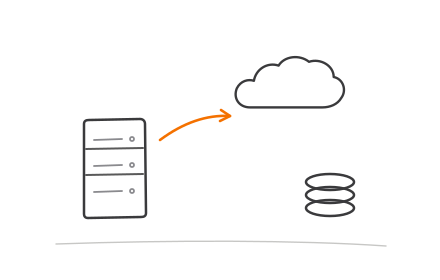
Migrating to the cloud without downtime means moving in stages, not all at once: assess your current environment, migrate a low-risk pilot service first, cut traffic over in phases while keeping a rollback path live, validate thoroughly, and only then decommission the legacy system. Skipping any one of those stages, especially the pilot and the rollback plan, is where most migration outages come from.
The staged approach that actually prevents outages
Assessment first. Before touching infrastructure, inventory every service, its dependencies, its data volume, and its uptime requirements. Teams that skip this step routinely discover mid-migration that a "simple" service quietly depends on three others nobody documented. A week spent mapping dependencies saves far more than a week during cutover.
Pilot migration second. Pick one low-risk, non-critical service and migrate it end-to-end first. This surfaces real problems, network configuration, authentication mismatches, unexpected latency, in an environment where a mistake doesn't take down your product. Treat the pilot as a dress rehearsal, not a formality to rush through.
Phased cutover third. Move remaining services in waves, grouped by dependency, not all simultaneously. Shift traffic gradually using weighted DNS routing or a load balancer split, sending 5-10% of traffic to the new environment first, then increasing as confidence builds. Keep the legacy environment running and able to take traffic back at every stage.
Validation fourth. After each wave, validate under real production load, not just synthetic tests. Check application performance, data consistency between old and new environments, and that monitoring and alerting are actually catching issues in the new environment before you rely on it exclusively.
Decommission last. Only shut down the legacy environment after the new one has run cleanly through at least one full business cycle, ie. a complete billing cycle, a full week of peak traffic, whatever matches your actual usage pattern. Decommissioning too early is how teams lose their rollback safety net right when they need it.
Mistakes that cause downtime
The most common mistake is underestimating data transfer time. Moving a multi-terabyte database over the public internet can take days, and teams that plan a weekend cutover around an overly optimistic transfer estimate end up either rushing the migration or missing their window entirely.
The second is skipping a dry-run cutover. Practicing the actual cutover sequence, including DNS changes and rollback steps, in a staging environment catches configuration errors before they matter. Teams that go straight to the production cutover without a rehearsal are debugging live.
The third is treating the rollback plan as theoretical. If you haven't actually tested reverting traffic back to the legacy environment, you don't have a rollback plan, you have a hope. Test it before migration day, not during an incident.
A practical checklist
- Inventory every service, dependency, and data store before planning dates
- Classify services by criticality and migration order
- Choose and document a target architecture, not just "move it as-is"
- Run a pilot migration on a low-risk service first
- Estimate data transfer time realistically, including a buffer
- Set up monitoring and alerting in the new environment before cutover
- Test the rollback procedure in staging, not just on paper
- Migrate in phases using weighted traffic shifting, not a single cutover
- Validate data consistency and application performance after each wave
- Keep the legacy environment live through at least one full business cycle
- Communicate cutover windows and rollback criteria to stakeholders in advance
- Decommission legacy infrastructure only after validation is complete
Getting the sequencing right
The single biggest predictor of a smooth migration isn't the cloud provider or the tooling, it's whether the team resists the urge to compress the timeline. Assessment, pilot, phased cutover, and validation each protect against a specific failure mode, and cutting any of them short is usually where the downtime comes from. A team running cloud and DevOps services that has done this sequencing before will typically build in the pilot phase and rollback testing by default, since those are the stages under the most pressure to skip when a deadline looms. Whether you're moving to AWS, Azure, or GCP, the staged approach holds regardless of destination platform.
The people you need in the room
Migrations fail on org charts before they fail on architecture. The minimum cast: an executive owner who can settle priority disputes in days, a technical lead who knows the current system's bodies-buried, someone who genuinely owns the application inventory including the forgotten cron jobs, a security or compliance voice involved from the assessment stage rather than the sign-off stage, and the people who answer the pager today, because they know which alerts are real. Migrations staffed only with enthusiastic newcomers rediscover every undocumented dependency at the worst possible moment.
The first 90 days after cutover
The migration is not done when the DNS flips. The first month is stabilization: watching error budgets, tuning alerts that fire differently in the new environment, and resisting the urge to optimize while things settle. The second month is cost reality: right-sizing the instances that were provisioned generously for safety, buying reservations or commitments now that usage is observable, and catching the orphaned resources every migration leaves behind. The third month is the payoff work: decommissioning the legacy environment, which is the step that actually realizes the savings, and writing down what the team learned while it still remembers. Skipping the decommission is the classic failure: paying for two environments indefinitely turns a successful migration into a cost increase.
The rollback plan you hope never to use
Every stage of a migration needs an answer to one question asked in advance: if this goes wrong at 2 a.m., how do we get back? Concretely that means the old environment stays warm until the new one has survived real load, DNS changes ship with low TTLs so they can be reversed in minutes, data replication runs in both directions during the cutover window where the architecture allows it, and the go/no-go criteria are written down before the migration night rather than negotiated during it. Rollback plans are like seatbelts: the teams that need them most are the ones who found them too pessimistic to write.