Power Apps Licensing Costs, Explained Honestly
Written with AI assistance. Drafted and reviewed by Sangeeta Batada, CFO.
Power Apps licensing costs are not hard because the prices are high; they are hard because the model has several shapes and the cheap-looking one has edges that only show up later. In plain terms: you license Power Apps either per user, per app or by usage, a limited slice is already covered by Microsoft 365, and the costs that surprise teams, premium connectors, Dataverse capacity, and flow licensing, arrive after the build, not during it. Every price named below is per Microsoft's published pricing at the time of writing; where a figure is not something I can verify against Microsoft's own page, I describe the model instead of inventing a number.
I sign off budgets, so I will treat this the way I treat any recurring cost: name what is knowable, flag what moves, and refuse to quote a number I cannot stand behind. Microsoft's pricing changes, so read this for the model and the traps, and confirm the current figures on Microsoft's page before you commit.
How Power Apps licensing actually works
Power Apps is licensed in a few different shapes, and understanding them in plain language is most of the battle. The per-user model gives a person the right to build and run apps for a flat monthly fee; per Microsoft's published pricing, the Power Apps Premium plan lists at $20 per user per month billed annually, with a lower rate of $12 per user per month available at a 2,000-seat minimum. That is the model to reach for when people use several apps each, because they pay once and run many.
The second shape is usage-based, sometimes called pay-as-you-go, where you pay for actual use rather than a standing per-seat fee. It fits apps that specific people open occasionally, so you are not buying breadth nobody uses. Microsoft has been consolidating and renaming these options over time, so rather than commit a specific usage figure I cannot currently verify on Microsoft's page, the honest guidance is this: the usage model exists, it is billed by activity rather than headcount, and you should price it against your real usage pattern using Microsoft's current pricing. The durable idea underneath the changing plan names is simple: you pay either for people, or for use, and the right one depends entirely on how many apps each of your user groups actually touches.
What Microsoft 365 already covers
This is the part nobody explains clearly, and it is where a lot of the confusion starts. Microsoft 365 has historically included a limited right to use Power Apps for apps built on standard connectors within the Microsoft 365 context. That covers a genuine range of simple internal tools: forms, list-driven apps, and automations that stay within the standard-connector world. For those, you may already have what you need and owe Microsoft nothing more.
The dividing line is the connector. The moment an app reaches for a premium connector, a link into a real business system, or for Microsoft Dataverse as its data store, it steps outside what Microsoft 365 covers and needs a paid Power Apps license. Because Microsoft periodically revises these use rights, I am deliberately not quoting a specific seeded capacity here; the safe move is to confirm exactly what your current subscription grants on Microsoft's licensing documentation. What you can rely on is the shape of it: simple, standard-connector apps often ride along with Microsoft 365, and anything that touches serious business systems does not.
The costs that surprise teams later
The surprises are consistent, and they are all post-build. The first is premium connectors: as soon as your app needs to talk to SQL, a CRM, or a custom API, you have left the free tier and taken on a per-user or usage cost. This is rarely optional, because those integrations are usually the whole point of the app, so treat premium-connector licensing as a certainty for any app that matters, not a maybe.
The second is Microsoft Dataverse capacity. Dataverse is the platform's own database, and storing real data in it consumes capacity that is billed beyond a baseline; per Microsoft's published pricing, additional Dataverse database capacity lists at $40 per GB per month billed annually. The third is automation: Power Automate flows can carry their own licensing depending on how they run, so the automations that make an app useful can add a line to the bill that the app build never showed. None of these are hidden in a dishonest sense; they are simply invisible during the build and visible on the invoice, which is why a cost-transparent plan prices them in advance.
A worked example
Numbers make the shape concrete. The example below uses the verified Premium list price of $20 per user per month, before any volume or negotiated discount, purely to show how the same platform behaves at two very different sizes. It is illustrative arithmetic on a published price, not a quote.
| Small internal tool | 200-user rollout | |
|---|---|---|
| Users | 15 | 200 |
| Premium licensing at $20/user/month | about $300/month | about $4,000/month |
| Annual licensing at list | roughly $3,600/year | roughly $48,000/year |
| Premium connectors | likely needed | almost certainly needed |
| Dataverse capacity | minimal | plan for paid capacity |
| Where the cost lives | trivial, build it and move on | recurring, model it before you commit |
The lesson is not that $48,000 a year is a lot or a little; it is that the same build is a rounding error at fifteen users and a real budget line at two hundred, entirely because the cost scales with people. At the small size, do not overthink it. At the large size, a usage-based plan might lower the figure if many users are occasional, or the recurring total might justify a different approach entirely. Confirm the current per-user and usage prices with Microsoft for your region and volume before you treat any of these figures as yours.
When licensing math flips the build-versus-buy answer
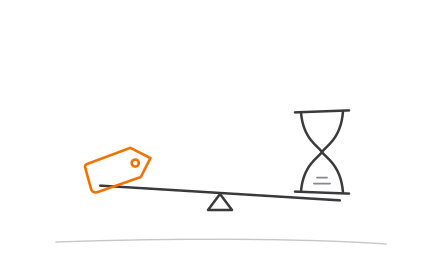
Here is the crossover that matters. A Power Platform build almost always costs less to create than custom software, and for a small user base its recurring licensing is small enough to ignore. But that licensing is a per-user or usage cost that grows with adoption, while a custom system carries its weight in the build and then runs at a largely fixed cost. Multiply Power Platform licensing across a large enough user base for long enough, and the cheap-to-build option can become the expensive-to-operate one.
That is why licensing belongs inside the build-versus-buy decision rather than beside it. The right question is not "which is cheaper to build," it is "which is cheaper to own over the next few years at our real user count," and the answer moves as the user count grows. Our companion guide, Power Platform vs custom development, works through where each one wins on the whole picture; this piece exists to make sure the licensing half of that math is not the part you discover after you have committed.
Questions to ask before you commit
Before you sign anything, answer these plainly. How many apps will each user group actually use, so you can tell whether per-user or usage-based pricing fits? Which premium connectors does the app truly need, and have you priced them in? How much data will live in Dataverse, and what capacity will that require over time? How many users will this reach at full rollout, not at pilot? And what is the all-in recurring cost per year once licensing, connectors, and capacity are added together?
If you can answer those, you can budget Power Apps honestly, and you will not be the team that shipped a cheap pilot and got a surprising invoice a year later. If you want help pricing it against a custom alternative, or you need people who know the platform to build it right, our Power Platform developers do this work, our guide on fixed price versus time and material covers how we structure the build cost, and you can talk to us for an honest read on which path is cheaper to own at your scale.
FAQ
Is Power Apps free with Microsoft 365?
Per-user or per-app, which fits?
What are premium connectors and why do they cost extra?
Does licensing cost change the custom-development comparison?
Where do I check current Power Apps pricing?
How this article was written: see our editorial policy.