LOS Migration: Switching Systems Without Stopping Lending
Written with AI assistance. Drafted and reviewed by Abhiram Deshpande, Business Analyst.
A loan origination system migration does not have to stop lending, and the fear that it will is the main reason lenders stay on systems they have long outgrown. The move that makes it safe is a parallel run: new applications start on the new system while the existing pipeline finishes on the old one, so no loan in flight is ever moved mid-process. The migration is a process problem before it is a technical one, and the honest first question is not how to switch but whether the thing you need to fix is the software at all.
I work as a business analyst on lending systems, which means I spend most of a migration in spreadsheets and workshops, not in code. That vantage point changes what looks hard. The install is rarely the risk. The risk is the pipeline you cannot pause, the data that never mapped cleanly, and the process problems that a new system will inherit unless someone names them first.
Why do lenders stay stuck on an LOS they hate?
Because the switching cost feels larger than the daily pain, and it is worth naming those costs plainly rather than pretending they are small.
There is the fear of stopping originations, which for a lender is stopping revenue. There is the pipeline of in-flight loans that cannot simply be teleported to a new system halfway through underwriting. There is the web of integrations, to credit bureaus, banking, document services, and downstream servicing, each of which has to keep working. There is years of historical data whose quality nobody is quite sure of. And there is the institutional memory baked into templates, rules, and the way people have learned to work around the current tool.
None of these is imaginary. Together they produce a rational-feeling decision to stay, even when the system is slow, brittle, or blocking growth. The point of a well-run migration is not to dismiss these costs but to defuse them one at a time, starting with the biggest, which is the fear that lending stops.
How do you migrate without ever stopping lending?
You run the two systems in parallel and move the boundary, not the loans. This is the pattern that removes the central fear.
From an agreed date, every new application originates on the new system. Every loan already in the pipeline stays on the old system and finishes there, following the process it started under. Nothing in flight is migrated mid-stream, which is where migrations most often go wrong. The old system does not switch off; it enters a shrinking role, handling only its remaining pipeline until that pipeline drains. When the last of those loans closes or moves to servicing, the old system is retired.
The cost of this approach is that you operate two systems for a while, and your teams work across both during the overlap. That is a real expense and it is the right one to pay, because it buys the thing a lender cannot afford to lose: uninterrupted lending. A hard cutover that pauses originations to swap systems saves a few weeks of dual running and risks the one outcome the whole business is built to avoid.
What moves to the new system, and what does not?
Not everything should follow you to the new system, and treating migration as move it all is how projects blow past budget for no benefit. Here is the honest split.
| What you are moving | Migrate, archive, or rebuild | Why |
|---|---|---|
| Pipeline loans | Finish on the old system | Never move a loan mid-process; let the parallel run drain it |
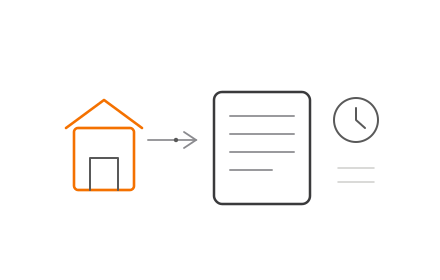
| Historical and closed loans | Archive to a queryable store, migrate only if needed live | Servicing and audit need access, not necessarily a live record in the new system |
| Integrations | Rebuild and test against the new system | Connectors rarely port; each needs building and end-to-end testing in the new context |
| Templates and rules | Rebuild deliberately | A migration is the moment to fix rules that grew by accident, not to copy them blindly |
| Reporting | Rebuild and reconcile against the old output | Reports must match for the same inputs before anyone trusts the new numbers |
| The loan tape | Reconcile, do not assume it carries | The tape has to tie out in the new system; treat it as a first-class deliverable, not a byproduct |
The theme is that a migration is a chance to leave weight behind. Years of dead templates, rules nobody remembers writing, and data that was never clean do not have to make the trip. Deciding what stays behind is as important as deciding what moves. For how the tape itself should be handled, our explainer on what a loan tape is covers why it deserves that first-class treatment.
How do you migrate the data honestly?
The data is the hard part, and honesty about it early is what separates a migration from an incident. Two lending systems almost never model a loan the same way, so the work is mapping, cleanup, and deciding what not to bring.
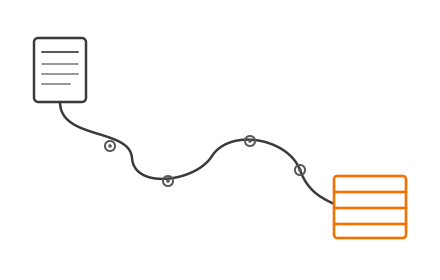
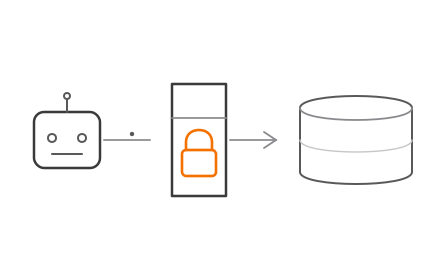
Mapping means taking every field, status, product definition, and document type in the old system and deciding where it lands in the new one. The gaps, the fields with no clean destination, the statuses that do not line up, are where problems hide, and they are found by looking, not by hoping the tools agree. Cleanup means confronting the duplicates, blanks, and inconsistencies that any system accumulates over years; a new system will either reject them or preserve them faithfully as errors, and neither is what you want. And the third decision, the one teams skip, is what to archive instead of migrate. Data that is needed for reference but not for live processing belongs in an accessible archive, not in the new system where it adds cost and risk for no operational gain. Confirm retention rules with whoever owns compliance before you archive or discard anything.
Approach migration as a data project with a software component, rather than a software project with a data step, and the hard part stops being a surprise.
How do you decide when to cut over?
You decide against readiness criteria set in advance, and you keep a way back. The cutover is not the day the calendar says; it is the day the criteria are green.
Before the new system carries meaningful volume, the data should be migrated and reconciled, the integrations tested end to end, the templates and rules producing correct documents and decisions, the reports matching the old system for identical inputs, and the users trained on the real workflow rather than a demo. Alongside the go criteria, define rollback thinking: a clear, pre-agreed path to fall back if something material breaks, so going live is a reversible decision rather than a leap of faith. A migration you can reverse is one you can attempt with a steady hand. A migration with no way back pressures everyone to declare success regardless of what the system is doing.
When should you not migrate at all?
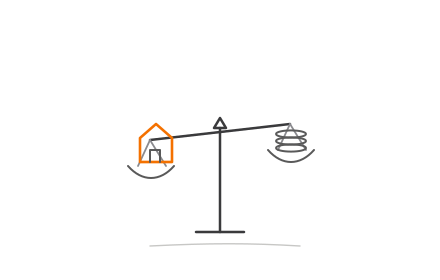
Sometimes the right answer is to keep the system and fix the process, and a good analyst will tell you so before you spend the budget.
It is easy to blame the software for pain that actually comes from unclear ownership, manual steps grafted on around the tool, or workflows that were never designed so much as accumulated. A migration will carry every one of those into the new system, at considerable cost, and then you will wonder why the new tool feels as awkward as the old one. Before committing, separate what the current system genuinely cannot do from what your process is doing to itself. If the real problem is process, fixing the process is faster, cheaper, and lower risk, and it has a bonus: it tells you precisely what you need if you do decide to switch later. Migrate for capability gaps you can name, not for a frustration a better process would dissolve. Our comparison of building versus buying an LOS is a useful next read once you have decided the capability gap is real.
This is not a niche concern. Moody's expects private credit assets under management to exceed $2 trillion in 2026, per its 2026 private credit outlook (January 2026), and the systems that originate that credit are under pressure to keep up. AI-assisted decisioning is arriving in lending systems too, which is exactly the kind of capability that makes an aging LOS feel like a ceiling. Both are context for why lenders are looking, not a promise about your numbers. The mechanics of your migration stay the same regardless: run in parallel, treat it as a data project, cut over on readiness, and be honest about whether the problem is the system or the process around it.
If you are weighing a switch and want a partner who will start with that honest question, see how we approach a loan origination system, read our take on LOS for private credit, or talk to us about migrating without stopping lending.
Assess your lending stack
A 3-minute self-assessment scored on 5 dimensions: origination, loan tape, integrations, compliance, and AI readiness.
Start the 3-minute assessment→FAQ
Can you migrate a loan origination system without stopping lending?
Do you migrate historical loans into the new system?
What is the hardest part of an LOS migration?
How do you decide when to cut over to the new LOS?
When is migrating a loan origination system the wrong decision?
How this article was written: see our editorial policy.