What is a CMMS? Computerized maintenance explained
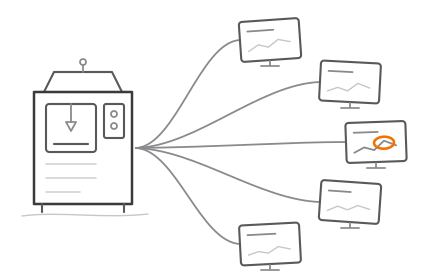
A CMMS (computerized maintenance management system) is software that tracks physical assets, schedules preventive maintenance, and manages maintenance work orders in one place. It replaces paper logs, whiteboards, and spreadsheets that maintenance teams use to track when equipment was last serviced and what needs attention next. If you manage machines, vehicles, or building systems and need to know what's due for service and what just broke, that's what a CMMS is built to answer.
The four core modules
Nearly every CMMS, whether it's an off-the-shelf product or something built in-house, is organized around the same four pieces.
Asset tracking. A record for every piece of equipment: make, model, install date, location, warranty status, and full service history. When a machine breaks down at 2am, the technician pulling up the asset record can see exactly what was done to it last, by whom, and what parts were used.
Work orders. The unit of maintenance work itself. A work order captures what needs doing, who's assigned, priority level, parts required, and time spent. Work orders can be generated manually (something broke) or automatically (a scheduled service came due).
Preventive maintenance (PM) scheduling. Rules that generate work orders automatically based on time (service this pump every 90 days) or usage (service this forklift every 500 hours). This is the module that shifts a team from reactive firefighting to planned maintenance, which is consistently the biggest lever for reducing unplanned downtime.
Spare parts inventory. Tracking what parts are on the shelf, what's on order, and what's been consumed against which asset. Without this, technicians either over-order "just in case" or discover mid-repair that the part they need isn't in stock.
Who actually needs one
Three types of operations show up most often as CMMS buyers.
Manufacturing plants. Any facility running production equipment where unplanned downtime has a direct revenue cost. A single hour of unplanned downtime on a bottleneck machine can cost more than the CMMS costs for a year.
Facilities management. Building operators tracking HVAC, elevators, fire systems, and general building infrastructure, often across multiple sites, with compliance inspections that have to be documented and provable.
Fleet operations. Companies maintaining vehicles need to track mileage-based and time-based service intervals, DOT or similar compliance inspections, and per-vehicle repair history for both safety and resale value.
A rough rule of thumb: once an operation crosses roughly 20-30 pieces of tracked equipment, or once more than one person needs visibility into what's been serviced, a spreadsheet starts breaking down. That's usually the point teams start evaluating dedicated software.
Off-the-shelf vs custom
Most teams start with an off-the-shelf CMMS product, and for standard equipment and workflows that's often the right call: faster to deploy, lower upfront cost, and someone else maintains the software. The tradeoff shows up later, when equipment mix gets unusual, when integration needs grow, or when per-seat licensing costs start scaling faster than the value delivered. At that point, a CMMS and maintenance management solution built to fit your actual equipment and workflows, rather than the vendor's generic model, tends to pay for itself. The right starting point depends less on company size and more on how standard your equipment and maintenance processes actually are.