When off-the-shelf CMMS stops fitting: signs to build
Off-the-shelf CMMS stops fitting when workarounds pile up faster than the software adapts: side spreadsheets for equipment types it can't model, manual reports because it can't produce what compliance needs, and integrations the vendor won't build. Any one of these alone isn't a crisis. Several showing up together over a few months is the reliable signal that the platform has become a constraint rather than a tool.
The four signs that show up most
Workarounds piling up. This is the earliest and most reliable signal. One team member keeping a side spreadsheet for something the CMMS doesn't track well is normal in any software. When three or four separate workarounds exist across different people or departments, and everyone has quietly accepted them as "just how we do it," the software is no longer doing its job.
Unusual equipment the software can't model well. Off-the-shelf CMMS platforms are built around generic categories: motors, pumps, HVAC, vehicles. Operations with specialized or custom equipment, mixed fleets plus facilities in one system, or assets with unusual maintenance logic (condition-based rather than time-based, multi-stage inspection chains, nested sub-assemblies) often find themselves forcing data into fields that don't match reality. Reports built on that mismatched data become unreliable.
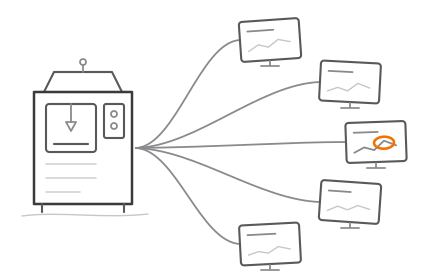
Integration needs the vendor can't support. As maintenance data becomes more central to operations, teams want it talking to ERP systems, SCADA data, IoT sensor feeds, or custom reporting dashboards. Vendor APIs cover the common cases; less common combinations either aren't supported or require expensive middleware just to bridge the gap.
Per-seat costs scaling faster than value. A CMMS priced per user makes sense at 10 users. At 60 users, particularly if a chunk of them only need occasional read access rather than full functionality, the licensing bill can grow faster than the operational value the software is actually adding.
Self-assessment checklist
Run through this list. Two or fewer checked boxes usually means off-the-shelf still fits. Three or more is worth a serious look at alternatives.
- We maintain at least one spreadsheet or document alongside the CMMS to track something it can't handle
- Our equipment includes asset types the software's data model doesn't represent well
- We've asked the vendor for an integration or custom field and been told it's not supported or costs extra to build
- Compliance or audit reports require manual reformatting outside the CMMS
- Our annual licensing cost has grown by more than 20% in the last two years without adding significant new functionality
- More than one department has stopped fully trusting the CMMS data and keeps a parallel record
What comes next
None of this means every team with a few workarounds needs a custom build immediately. Sometimes the fix is switching to a different off-the-shelf product with a better fit, or negotiating a better pricing tier with the current vendor. But when the pattern is unusual equipment plus integration needs plus scaling costs, together, that combination is usually where a purpose-built system starts paying for itself faster than continuing to patch around a generic one. A CMMS and maintenance management build tailored to your actual asset list and workflows removes the workarounds instead of adding another layer on top of them.