Salesforce CPQ to Revenue Cloud: How the Migration Actually Goes
Written with AI assistance. Drafted and reviewed by Sahil Parvat, Salesforce Engineer.
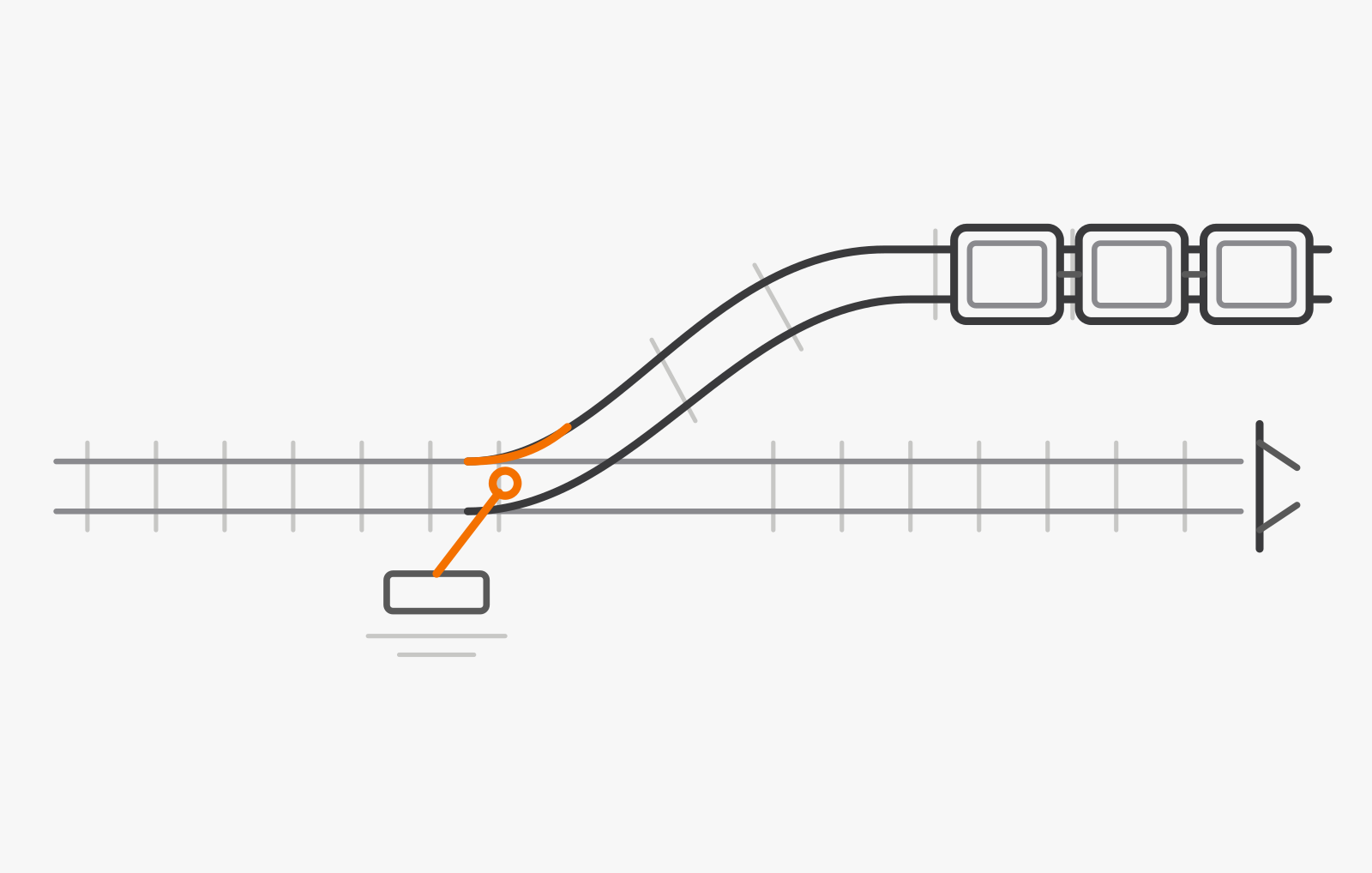
A Salesforce CPQ to Revenue Cloud migration is a rebuild of how your products, prices, and quotes are modeled, not an upgrade. Most of the work sits in pricing logic and in the systems around quoting, and most of the risk sits in cutover. We have run this migration once end to end, for a mid-size B2B company, in under three months from kickoff to go-live, and this is the order we would run it in again.
As of November 2026, CPQ is end of sale, not end of life: Salesforce's end-of-sale page, dated July 10, 2026, says existing customers can keep using it, with support and critical fixes but no new features, and that no migration is forced. The successor is sold as Revenue Cloud Advanced, and parts of Salesforce's help call the platform Revenue Management; we say Revenue Cloud. Still deciding whether to move at all? Start with your Salesforce CPQ options after end of sale.
Which parts of CPQ survive the move, and which get rebuilt?
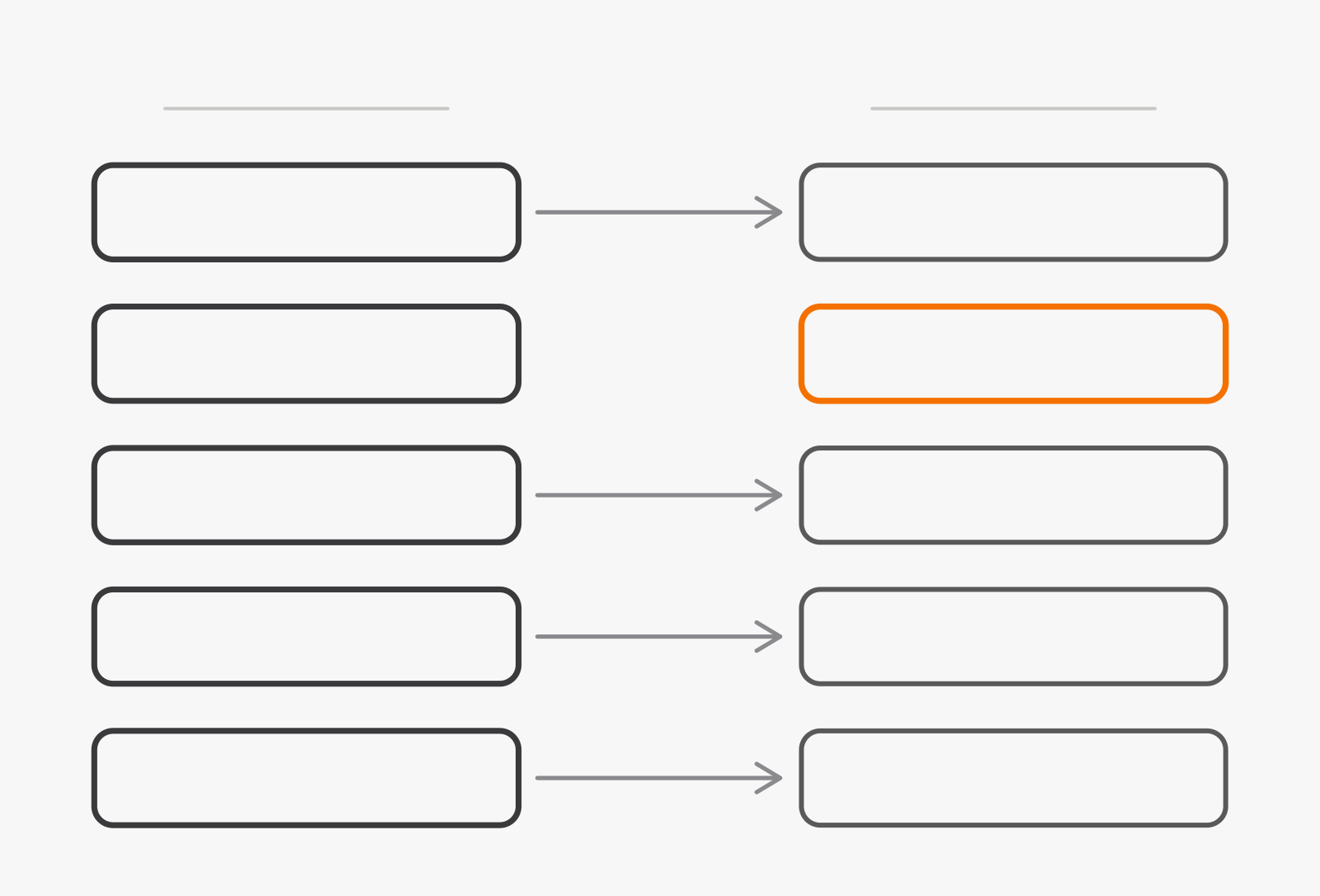
The nouns survive and the logic does not. Salesforce's comparison of the two products calls Revenue Cloud a different system with a different data model, and tells teams to treat the move as a redesign, not a direct migration of existing configurations. The differences that create the work, from Salesforce's pages:
- Products. CPQ is SKU-based, with bundles and an option hierarchy; Revenue Cloud is attribute-based and separates commercial products, what you sell, from technical products, what you fulfill.
- Pricing. CPQ's price rules run in the browser, in sequence; Revenue Cloud prices on the server through pricing procedures.
- Contracted prices. A ContractedPrices custom object in CPQ; contract item prices on standard objects in Revenue Cloud.
- Customization. Quote calculator plug-ins and custom Apex give way to declarative pricing procedures, with Apex hooks around them where code is still needed.
 Salesforce CPQRevenue CloudProductPrice ruleQuoteQuote lineContractrebuiltProductPricing procedureQuoteQuote line itemContract
Price rules have no counterpart, and Salesforce's migration tools cannot carry quote calculator plug-ins or document templates across: plug-in logic is reimplemented, templates are rebuilt, and configuration rules move to a constraint-based configurator. Plan all of it as design work, not data entry.
Salesforce's terms, in one line each
- Product classification
- A template for the catalog: attributes are defined once and assigned to products through it.
- Product selling model
- How a product is sold, such as one-time, subscription, or consumption; a single product can carry several.
- Pricing procedure
- The server-side sequence of pricing steps that replaces chains of price rules.
- Constraint Modeling Language
- The language the constraint rules engine uses to validate large and complex product configurations.
Seven phases, each handing something checkable to the next
Each phase hands the next something you can check, and the order matters: Salesforce's guide to preparing a migration also puts understanding your current state first and choosing a strategy after it. At a glance:
Phase 1: Inventory everything quoting touches
List every product line, bundle, price rule, plug-in, template, approval step, and integration that touches CPQ data: what it does, who owns it, and whether anything still uses it. Salesforce's list of common migration issues warns against moving inactive price rules without review and notes that plug-in logic is invisible in pricing output. The inventory surfaces both.
- Inputs: CPQ admin access, the rule and plug-in source, and each integration owner's time
- Outputs: an inventory with every row marked keep, redesign, or retire, and pain points as success criteria
- Owner: the product or catalog owner, with the Salesforce admin
- Common failure: listing what the documentation says, not what the org actually runs
Phase 2: Map the old model onto the new one
Decide how today's SKUs become attribute-based products, which attributes sit on which product classification, and which selling models each product carries. Settle the split between commercial and technical products before any data moves; everything downstream keys off it.
- Inputs: the inventory, and agreement on what is sold versus what is fulfilled
- Outputs: a field-level map, product classifications, and selling models per product
- Owner: the solution architect
- Common failure: mapping each SKU straight across before the commercial and technical split is agreed
Phase 3: Rebuild pricing as procedures, not copies of rules
The longest phase, and the one that decides the project. Price rules and plug-in logic become pricing procedures; configuration rules become constraints. Replacing plug-in code is Salesforce development work, with Apex hooks around a procedure for what declarative steps cannot do. Prove the result against a small pack of real quotes covering your representative scenarios, as Salesforce recommends, and hold every later phase to it.
- Inputs: the field map, each rule's business purpose, and a curated pack of real quotes
- Outputs: procedures and constraints that price the pack as CPQ does, or explain each difference
- Owner: the revenue operations lead, with the architect
- Common failure: porting every rule, including the ones nothing enforces anymore
Phase 4: Rewire the systems around quoting
Salesforce's migration tools do not migrate integrations, and ERP and billing need their own strategy, so design them alongside pricing, not after it. The usual seams are in Salesforce integration patterns; the shop-floor cases in CPQ for manufacturers.
- Inputs: the integration rows of the inventory and the new object map
- Outputs: every integration rebuilt on Revenue Cloud objects and tested with the quote pack
- Owner: the integration architect or IT lead
- Common failure: testing integrations only once pricing is called done, with no time left to fix them
Phase 5: Quote the same deals in both systems
Price the same real deals in both systems and explain every difference before anyone names a go-live date. Rebuild the critical reports here too, and validate them in a sandbox before cutover, as Salesforce advises.
- Inputs: the quote pack, working integrations, and a sales and a finance reviewer with time
- Outputs: a log of differences, each explained or fixed, signed off by sales operations and finance
- Owner: sales operations, with finance
- Common failure: waving through unexplained differences as rounding
Phase 6: Cut over with a written way back
Salesforce's cutover guidance asks for decisions most teams leave late: the go-live window and who signs it off, what triggers a rollback and who can call it, what happens to in-flight quotes, whether to freeze orders, and which reconciliation checks must pass. Write each one down, and rehearse the load in a sandbox, before you pick a date.
- Inputs: a signed-off parallel run, written rollback criteria, and a rehearsed load
- Outputs: migrated data, reconciliation evidence, and a recorded go-live decision
- Owner: the project lead, with the executive sponsor
- Common failure: going live without rollback criteria, or with nobody named who can use them
Phase 7: Stay close until CPQ can be switched off
Hypercare is the heightened support right after go-live: who stays on call, for how long, and how issues are triaged. It ends with a dated plan to retire CPQ, never before the last record that depends on it has moved; Salesforce's planning guidance is to keep at least one active CPQ license, in production and in every sandbox in use, for the whole migration.
- Inputs: the go-live issue log and the records still living in CPQ
- Outputs: fixes shipped, an empty issue list, and a dated plan to retire CPQ
- Owner: the Salesforce admin, with support
- Common failure: ending heightened support the week after go-live, before the first month-end close
What the plan looks like on an illustrative catalog
Numbers make a plan easier to argue with, so here is one for an invented company.
The planner below starts from the same example; change the catalog, the price rules, or the integrations, and it redraws the plan.
Migration planner
Illustrative estimate, not a quote
- InventoryWeeks 1 to 2
- Model mappingWeeks 2 to 3
- Pricing and rules rebuildWeeks 4 to 7
- IntegrationsWeeks 5 to 7
- Parallel runWeeks 8 to 9
- CutoverWeek 10
- HypercareWeeks 11 to 12
About 11 to 13 weeks from kickoff to the end of hypercare, with go-live at the end of week 10.
How it estimates: inventory and mapping grow with the catalog, the pricing rebuild with the number of price rules, and integrations run alongside pricing at about a week each. The parallel run, cutover and hypercare barely move. A real plan comes from your inventory, not from three sliders.
What happens to open quotes and quote history?
Less moves than most teams expect. Salesforce's guidance on migration scope is a sound default: the catalog always moves, active subscriptions and assets almost always move because renewals and billing depend on them, and closed-won opportunities move for reporting. Expired subscriptions and closed-lost or expired quotes usually stay behind; keep that history readable in CPQ or an archive rather than converting it.
In-flight quotes need a rule, written down and told to sales before cutover. Ours is Salesforce's: migrate only long-running strategic deals, typically those with custom terms or extended validity, and have reps recreate the rest in Revenue Cloud after go-live, with a short order freeze so nothing is half-processed at the switch.
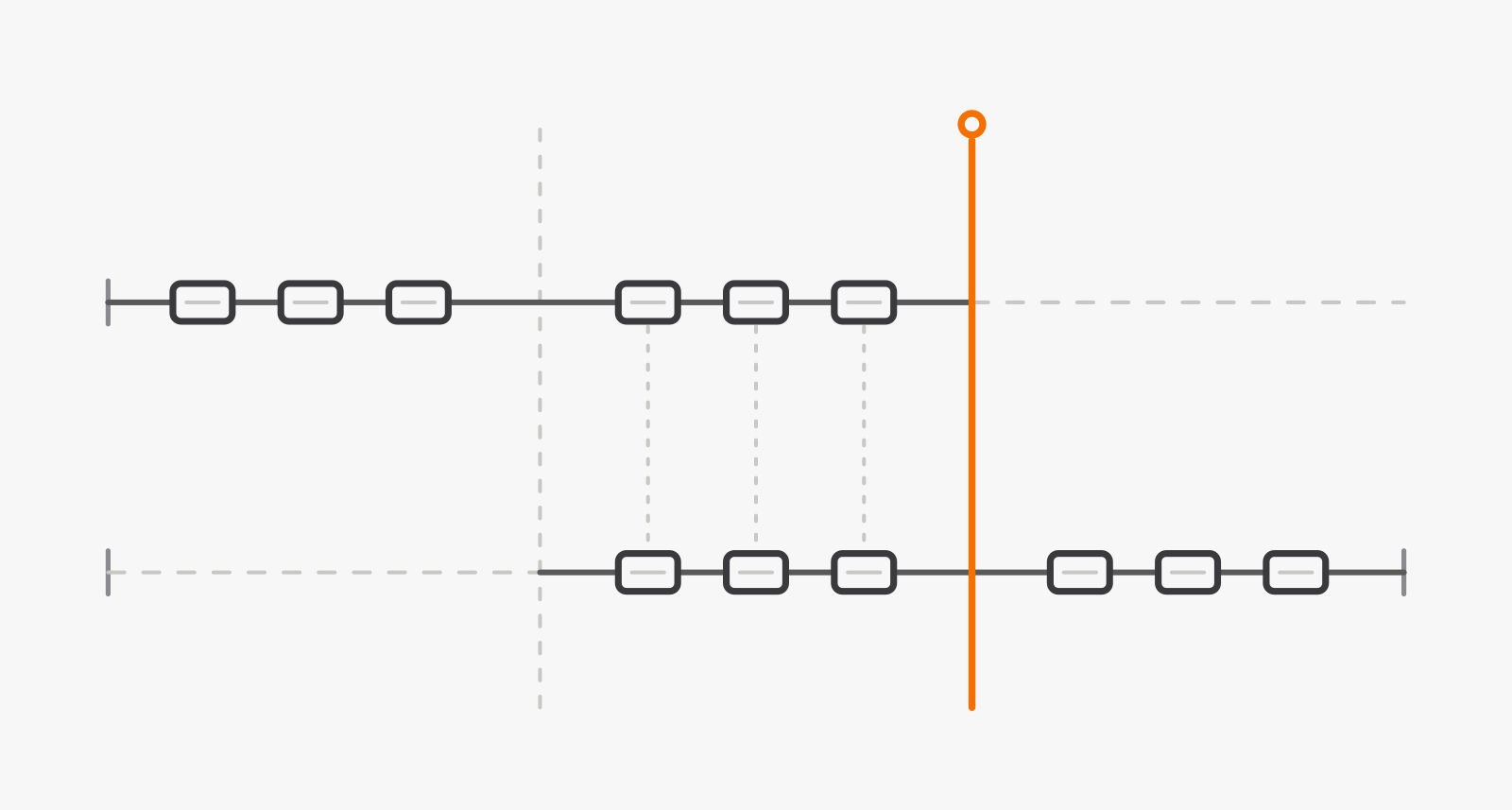 BeforeParallel runAfter cutoverSalesforce CPQRevenue CloudCutover
There is a gentler version: in a bridge rollout, new business goes live in Revenue Cloud while existing CPQ contracts stay in CPQ until renewal or amendment, at the cost of running both systems for a long stretch.
What changed for the client once it was live
Outcomes the client's team could see, in kind rather than in numbers:
- Discount approvals stopped living in email threads and now happen on the quote.
- Reps no longer rebuild quotes after a product changes.
- Finance no longer re-keys accepted quotes into the ERP.
When waiting is the better call
Waiting is reasonable while CPQ still does the job: Salesforce supports it and no migration is forced. Hold off mid-way through a pricing model change, before a planned catalog overhaul, or while nobody can own the inventory. Questioning Salesforce itself? The CPQ software comparison covers the alternatives. Start when every line below is true.
Ready to start the migration
- Every price rule and plug-in has an owner who can say what it is for, or a decision to retire it.
- Every integration that reads or writes CPQ data is listed, with someone who can change it.
- A sales lead and a finance lead can give real time to the parallel run.
- No major pricing or catalog overhaul is planned for the same window.
- Your CPQ licenses can run alongside Revenue Cloud for the whole migration.
What CPQ teams ask before they commit
Can CPQ and Revenue Cloud run side by side during the migration?
Do our CPQ reports and dashboards come across?
Do quote templates carry over?
What the migration changes for cost, timing, and risk
For most CPQ customers this is a timing decision, not an emergency. The cost sits in redesign rather than data transfer: pricing logic, integrations, templates, and reports are rebuilt, so your inventory, not a vendor calendar, sets the budget. The risk sits in the weeks around cutover, and it is lowest for teams that rehearse the load, write down rollback criteria, and keep CPQ licenses until the last dependent record moves.
Start planning now if your pricing model or channels are changing, or a CPQ renewal is near and you want the inventory done before you sign. Teams whose CPQ works, whose catalog is stable, and whose integrations are quiet can plan without a deadline; this step is not for them yet. If you want a second opinion on your inventory before you commit, we will review it with you.
How this article was written: see our editorial policy.